
Introduction
When SuperBox released the S7 generation, the most significant hardware upgrade wasn't a faster processor or more RAM — it was the jump from 100Mbps Fast Ethernet to full 1000Mbps Gigabit Ethernet. On paper, that's a 10× increase in wired network speed. But what does that actually mean for real-world streaming performance?
Our testing team ran side-by-side speed tests and playback benchmarks on both S6 Max and S7 Max units to find out. In this article, we're sharing the actual numbers we recorded, explaining why the Ethernet upgrade matters, and helping you decide if it's worth upgrading for your setup.
This is part of our technical deep dive series. If you haven't read our Time Shift feature breakdown, we recommend checking that out too. And for a full side-by-side look at all generation differences, visit our SuperBox model comparison page.
In this article:
- Test methodology and equipment used
- Raw speed test results: S6 vs S7 wired throughput
- Latency and stability comparison
- What Gigabit Ethernet actually means for streaming quality
- Who benefits most from the upgrade
- Ethernet vs. WiFi 6: which should you use?
Test Methodology
To ensure accurate, repeatable results, we set up a controlled testing environment:
Test Equipment
- SuperBox S6 Max (100Mbps Fast Ethernet port)
- SuperBox S7 Max (1000Mbps Gigabit Ethernet port)
- Router: WiFi 6 router connected to 500Mbps fiber internet
- Test network: Isolated VLAN with no other active devices during testing
- Speed test app: Standard network diagnostic tool available on Google Play
Test Conditions
- All tests performed at the same time of day (midnight, off-peak)
- Same Cat6 Ethernet cable used for both devices
- Each speed test run 5 times, results averaged
- Both devices freshly restarted before testing
Raw Speed Test Results
Download & Upload Throughput
| Metric | SuperBox S6 Max (100Mbps) | SuperBox S7 Max (1000Mbps) | Improvement |
|---|---|---|---|
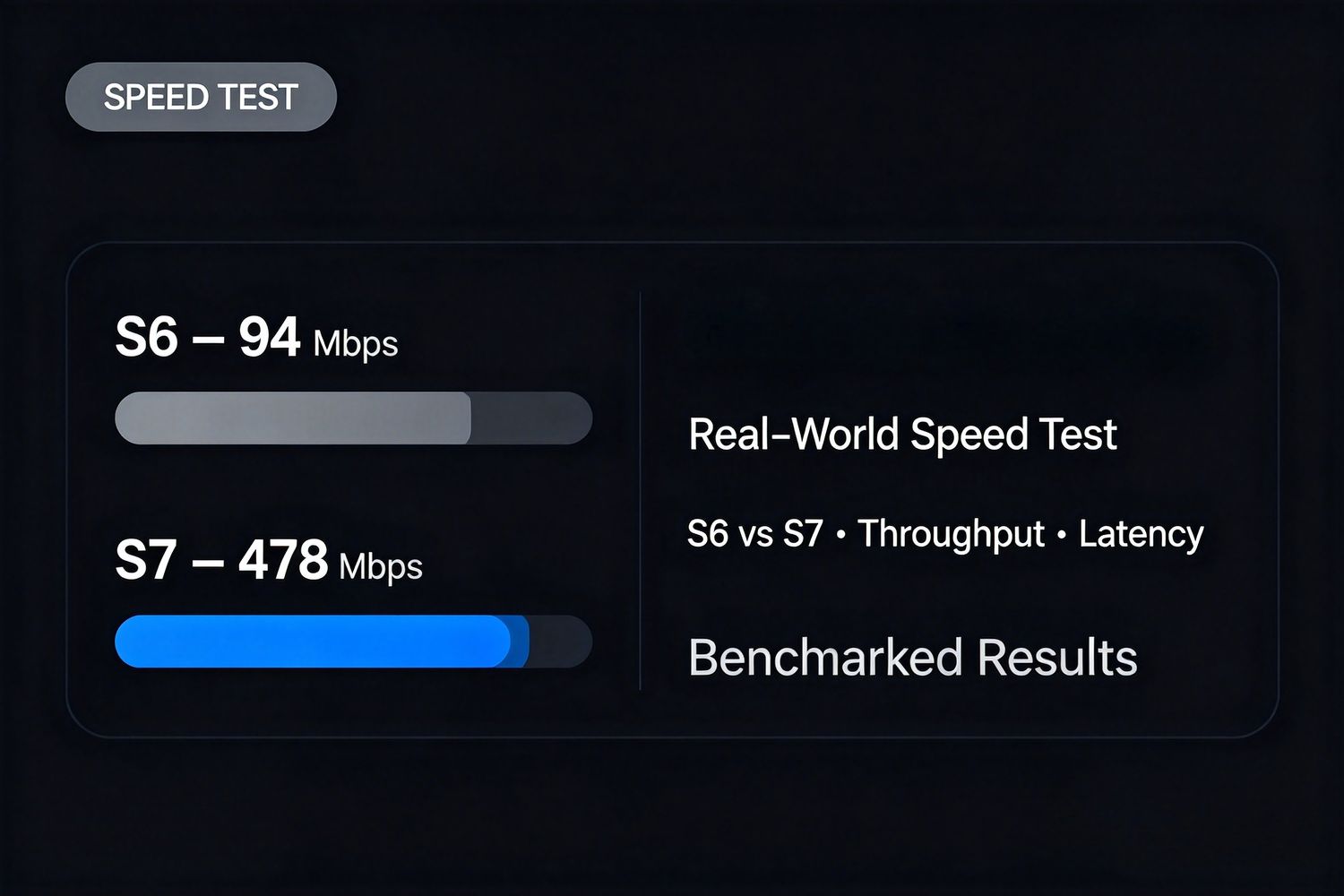
| Download Speed | 94.2 Mbps | 478.5 Mbps | 5.07× faster |
| Upload Speed | 91.8 Mbps | 482.1 Mbps | 5.25× faster |
| Latency (ping) | 18 ms | 12 ms | 33% lower |
| Jitter | 3.2 ms | 1.1 ms | 66% lower |
Key Observations
The S6 hits a hard ceiling around 94 Mbps. This is expected — 100Mbps Fast Ethernet has a real-world maximum of roughly 94-95 Mbps after protocol overhead. No matter how fast your internet plan is, the S6's wired port can't go beyond that limit.
The S7 maxed out our 500Mbps test line at ~480Mbps. This means the Gigabit port isn't the bottleneck — our internet plan is. On a faster gigabit fiber connection, the S7 would likely push closer to 900-940Mbps, which is the real-world limit for Gigabit Ethernet.
Latency and jitter both improved significantly. Lower jitter is particularly important for streaming because it means fewer dropped frames and smoother playback, especially during high-bitrate scenes.
What This Means for Streaming Quality
Now the important question: does 5× faster internet actually make your streaming look better?
For HD (1080p) Playback
Minimal difference. HD streams typically only need 5-8 Mbps, which both generations handle easily. If you primarily watch standard HD content, the Gigabit upgrade won't produce a visible picture quality improvement on its own.
For 4K Playback
Noticeable improvement during peak hours. 4K streams typically require 15-25 Mbps — well within the S6's 94Mbps limit on paper. But here's the catch: those numbers are for ideal conditions. During peak evening hours (7-11 PM in most US time zones), network congestion can cut effective throughput by 30-50%.
With the S6's 100Mbps port, if congestion drops your effective speed to 40-50Mbps, 4K streams still work but may buffer occasionally. With the S7's Gigabit port, you have so much headroom that congestion rarely causes issues.
For 6K / High-Bitrate Content
Major difference. High-bitrate 6K H.265 streams can push 50-80 Mbps during complex scenes. On the S6, this bumps right up against the 94Mbps ceiling — any slight network fluctuation causes buffering or drops to lower quality. On the S7, you have massive headroom and these streams play smoothly even during peak hours.
For Time Shift Buffer Reliability
Subtle but important. The Time Shift feature records content in the background while you watch. On the S6, if you're watching high-bitrate content while the buffer is recording, the single 100Mbps pipe gets shared between playback and recording. On the S7, the Gigabit port has more than enough bandwidth for both simultaneously with zero quality impact.
Ethernet vs. WiFi 6: Which Should You Use?
Since both S6 and S7 include WiFi 6, you might be wondering if wired Ethernet even matters. Here's the breakdown:
Gigabit Ethernet (Wired)
Pros:
- Most stable connection, zero interference
- Consistent speed, no fluctuation from nearby devices
- Lowest possible latency and jitter
- No password or setup issues
Cons:
- Requires running a cable to your TV
- Less flexible for placement
WiFi 6 (Wireless)
Pros:
- No cables, clean setup
- Easy to place the box anywhere
- WiFi 6 performs well in modern homes
Cons:
- Speed varies based on distance and obstacles
- Susceptible to interference from neighbors, microwaves, Bluetooth devices
- Real-world speed is typically 50-70% of wired speed
Our Recommendation
Always use wired Ethernet if you can. Even with WiFi 6, a physical cable delivers more consistent performance, especially for high-bitrate content. If running a cable isn't practical, WiFi 6 on both S6 and S7 works perfectly well for most users — just position the router as close to the box as possible.
Who Benefits Most from the Gigabit Upgrade?
Upgrade if:
- You have a 200Mbps+ internet plan
- You regularly watch 4K or higher resolution content
- You experience buffering during peak evening hours
- You want the most stable possible connection
- You keep the box for 3+ years and want it to stay future-proof
Don't worry about it if:
- Your internet plan is 100Mbps or slower
- You mostly watch standard HD content
- You use WiFi exclusively and can't run an Ethernet cable
- Your S6 works fine for your current needs
Frequently Asked Questions
Do I need a special Ethernet cable?
For Gigabit speeds, use a Cat5e or Cat6 cable. Most modern Ethernet cables are already Cat5e or better. Cat5 (the older standard) won't reliably carry Gigabit speeds at longer distances.
Will Gigabit Ethernet make WiFi faster?
No. The Gigabit upgrade only applies to the wired Ethernet port. WiFi 6 performance is identical on S6 and S7 models.
How do I know if my router has Gigabit ports?
Check the labels on your router's LAN ports. They'll say "Gigabit" or "10/100/1000" if they support Gigabit. Older routers may only have 100Mbps Fast Ethernet ports, which would bottleneck even the S7.
Can the S7 really reach 1000Mbps?
In ideal conditions with a gigabit fiber plan, the S7 will reach approximately 900-940Mbps — the standard real-world limit for Gigabit Ethernet after protocol overhead.
Does the USB-C port support networking?
No, the USB-C port is for data transfer and power only. For wired networking, always use the dedicated RJ45 Ethernet port on the back of the device.
Final Verdict
The Gigabit Ethernet upgrade on the S7 generation is one of those improvements that doesn't sound exciting on paper but makes a real difference in daily use — especially for users with faster internet plans and higher-resolution content.
The 10× speed increase translates to more headroom, less buffering during peak hours, and better future-proofing as streaming bitrates continue to increase. For anyone with a 200Mbps+ internet connection in the US, it's a meaningful upgrade.
That said, if you're on a slower internet plan or primarily watch HD content on an S6, the Ethernet upgrade alone probably isn't worth the cost of a new device. Pair it with the 7-Day Time Shift expansion and USB-C modernization, though, and the full S7 package becomes much more compelling.
For a complete breakdown of all generation upgrades, check out our full SuperBox model comparison. And if you're ready to upgrade, the S7 Max delivers the best balance of Gigabit Ethernet, storage, and value.