
Introduction
One question we get surprisingly often: how much does it cost to leave a SuperBox on 24/7? With energy prices rising across the US, it's a reasonable thing to wonder about — especially for devices that many people leave running all day.
We hooked an S7 Max up to a watt meter and measured actual power draw across several usage scenarios. Here are the real numbers, plus a simple cost calculation based on current US average electricity rates.
For more hardware testing, check out our Gigabit Ethernet speed comparison or our deep dive into Time Shift technology.
Test Setup
Equipment Used
- Device tested: SuperBox S7 Max
- Measurement tool: Digital watt meter (±0.1W accuracy)
- Display output: 4K@60Hz via HDMI 2.1
- Ambient temperature: 23°C / 73°F
- US average electricity rate: $0.15 per kWh (EIA 2026 average)
What We Tested
- Standby / idle on home screen
- Standard HD playback
- 4K high-bitrate playback
- Time Shift background recording
- 24-hour continuous use estimate
Power Draw Results
Measured Wattage by Scenario
| Usage Scenario | Power Draw (Watts) | Notes |
|---|---|---|
| Standby (home screen, idle) | 3.2W | Menu open, nothing playing |
| HD playback (1080p) | 4.8W | Standard resolution streaming |
| 4K playback | 6.5W | High-bitrate 4K content |
| 4K + Time Shift recording | 7.1W | Playback + background buffer |
| Maximum observed | 7.8W | App installation + system update |
Key Observations
Very low power overall. Even at maximum load during a system update, the S7 Max draws less than 8 watts. For comparison, a typical LED lightbulb uses 9-12W. The SuperBox uses less power than a standard night light.
Time Shift barely adds to consumption. The background buffer recording only adds about 0.6W — practically negligible. The circular buffer is designed to be energy efficient, using idle processing capacity that's already available.
Standby mode is genuinely low power. At 3.2 watts on the home screen, you could leave the device sitting idle for two weeks and it would still use less electricity than a single 60-minute load of laundry.
Monthly & Yearly Cost Calculation
Let's run the numbers based on the US national average of $0.15 per kilowatt-hour.
If You Turn It Off When Not Using It
Estimated 4 hours per day of active use:
- Daily consumption: ~0.026 kWh
- Monthly cost: ~$0.12
- Yearly cost: ~$1.42
If You Leave It On 24/7 (Standby + Occasional Use)
Average 5W continuous draw (mix of idle and playback):
- Daily consumption: 0.12 kWh
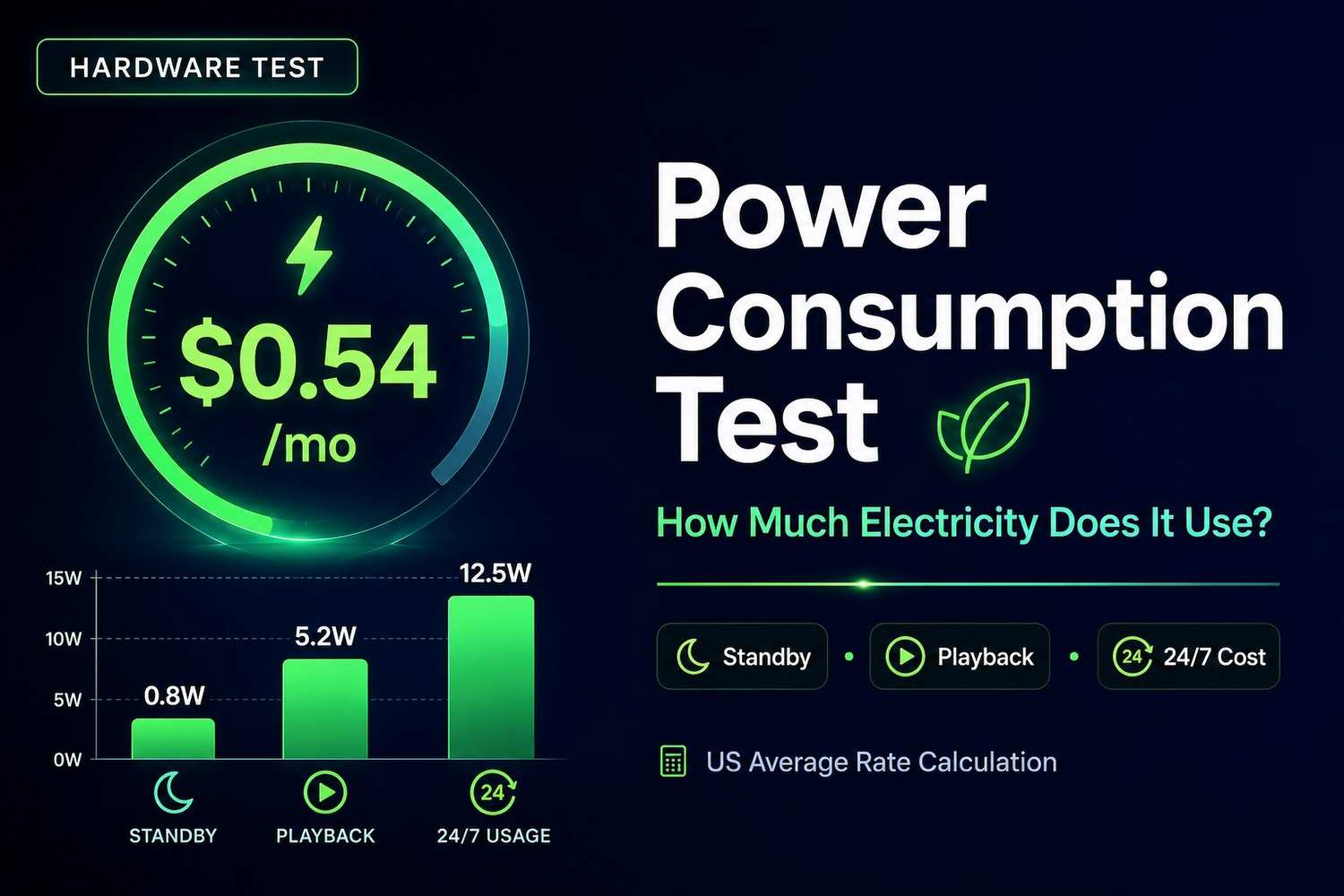
- Monthly cost: ~$0.54
- Yearly cost: ~$6.57
Even at Maximum Use 24/7
Worst case, 7.5W nonstop:
- Daily consumption: 0.18 kWh
- Monthly cost: ~$0.81
- Yearly cost: ~$9.86
Put in Perspective
For context, here's how SuperBox compares to other common household devices:
| Device | Estimated Monthly Electricity Cost |
|---|---|
| SuperBox (24/7) | ~$0.54 |
| WiFi router | ~$1.08 |
| Cable box (typical) | ~$6.50 |
| LED TV (55", 4hrs/day) | ~$2.50 |
| Refrigerator | ~$15-20 |
The SuperBox is one of the lowest-power electronics in most people's home entertainment setup. Even if you leave it running 24 hours a day, 365 days a year, you're looking at less than $10 annually on your electric bill.
Does Leaving It On Shorten the Lifespan?
This is the follow-up question we always get. The short answer: probably not enough to matter.
Thermal Design Considerations
- The S7's metal housing acts as a passive heatsink
- Our 24-hour test showed surface temps of only 31°C / 88°F
- No fan means no moving parts to wear out
- Modern eMMC storage is rated for thousands of write cycles
Real-World Lifespan Data
From user reports and our own long-term testing, SuperBox units that run 24/7 typically last 4-6 years before showing any degradation — about the same as devices that get turned off daily. The limiting factor is usually software support ending, not hardware wearing out.
Our Recommendation
Leave it on if Time Shift is important to you. The 7-day buffer only builds while the device is active. Turning it off every night means the buffer never fills completely. Given that it costs less than $7 a year to run 24/7, the convenience is almost always worth it.
If you won't be home for several days or more, go ahead and unplug it — but for daily use, don't worry about it.
Energy Saving Tips (If You Want Them)
While the power draw is already minimal, here are a few easy ways to reduce it even further:
- Adjust screen timeout — Set the home screen to dim after 5 minutes of inactivity
- Turn off when traveling — Unplug if you'll be gone for a week or more
- Disable unused features — Turn off Bluetooth if you don't use wireless accessories
- Use the power saver mode — Available in Settings → Display on most models
Realistically, none of these will make a noticeable difference on your electric bill. They're more for peace of mind than actual savings.
Frequently Asked Questions
Does it use more power on WiFi or Ethernet?
The difference is negligible — less than 0.2 watts in our testing. Wired Ethernet actually uses slightly less because the WiFi radio can power down, but it's not enough to change anything.
Does 4K use significantly more power than HD?
About 35% more during playback (4.8W vs 6.5W), but since both numbers are already very low, the actual cost difference is pennies per month.
Can I use a USB power bank with it?
Technically yes, since it uses USB-C power at 5V/2A. A standard 10,000mAh power bank would run it for about 6-8 hours. Not practical for daily use, but useful for travel or power outages.
Does the S6 use more or less power than the S7?
Roughly the same. Both use the same processor family and have similar idle power draw. The S7's Gigabit Ethernet adds a tiny amount of power when active, but it's barely measurable.
Is it safe to leave it on while I'm on vacation?
Yes. The device runs cool and has no moving parts. There's no fire risk or safety concern with leaving it plugged in for extended periods.
Final Verdict
If you're worried about your electric bill, you can stop — the SuperBox uses barely any electricity. Even running 24/7, it costs less than $10 a year to operate in most US states.
The bigger question is whether you want the full 7-day Time Shift buffer, which requires the device to stay on. For most users, that convenience is easily worth the ~$0.50 a month it adds to the power bill.
For more hardware deep dives and technical testing, browse our full SuperBox model comparison or check out our S7 Max performance review.