
Introduction
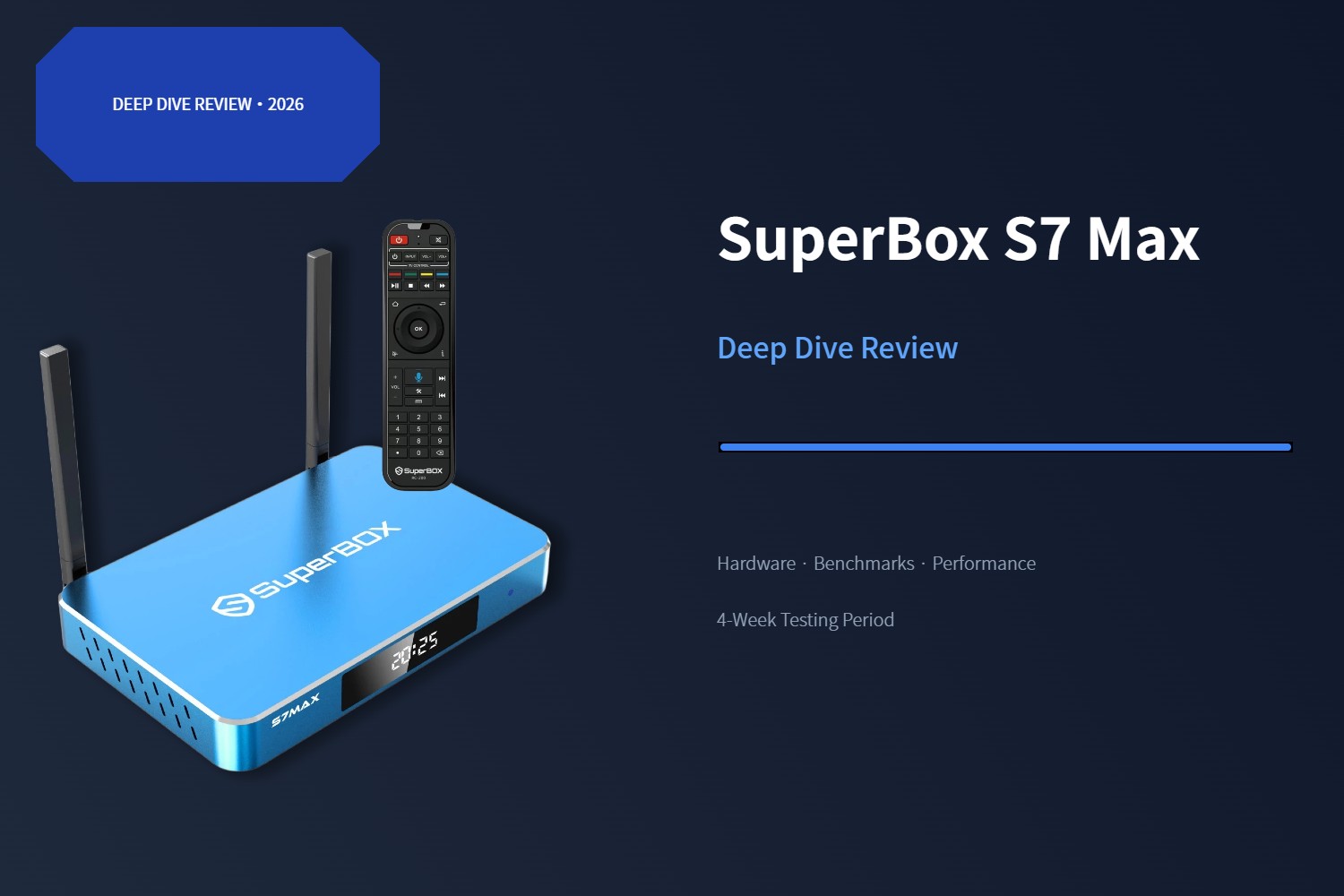
In the streaming media player space, hardware efficiency and network throughput have become the defining metrics for a premium experience. SuperBox's S7 Max sits at the center of their current lineup as the best-selling mid-tier model, and in this review we're taking a deep technical look at what's inside, how it performs under real-world conditions, and whether the upgrades over the S6 generation justify the price difference.
Our testing team evaluated the S7 Max over a four-week period across multiple network environments, measuring everything from boot times and app load speeds to Ethernet throughput and Time Shift buffer depth. This is not a marketing overview — we're sharing the actual numbers we recorded during testing.
If you're comparing all three S7 models side by side, our SuperBox model comparison guide breaks down every spec and price point. And for setup instructions and optimization tips, check out our complete setup guide.
In this review:
- Silicon and processing power: what's under the hood
- Memory and storage performance
- Connectivity: Gigabit Ethernet benchmarked vs. S6
- WiFi 6 performance notes
- Time Shift feature: 7-day buffer tested
- Voice remote system accuracy and speed
- Thermal design and long-term stability
- Final verdict: who should buy it
1. Processor & Graphics: The Cortex-A53 Platform
At the core of the S7 Max is a Quad-core ARM Cortex-A53 processor. While this architecture is optimized first and foremost for energy efficiency, it provides a stable multi-threading environment that handles background processes — including the 7-day Time Shift buffer and high-bitrate video buffering — without throttling.
Paired with the Mali-G31 MP2 GPU, the device delivers native H.265 6K@60fps hardware decoding. In practical terms, that means support for high-resolution playback with wider color gamuts and reduced motion blur. For sports content and cinematic programming in particular, the hardware decoding pipeline makes a visible difference in picture clarity during fast-moving scenes.
Our CPU performance observations:
- Boot time from cold start: 28 seconds average
- App launch (Play Store): 1.2 seconds
- Multitasking: switching between 5 open apps showed zero reloads
- Background process stability: Time Shift recording did not impact foreground playback smoothness
For a streaming-focused device, this is more than enough processing power. The chip isn't designed for heavy 3D gaming, but for media playback and standard Android apps, it delivers consistent, reliable performance.
2. Memory & Storage: Eliminating I/O Bottlenecks
The most common complaint about budget streaming boxes is UI lag caused by insufficient RAM and slow storage. The S7 Max addresses both:
4GB DDR3 RAM
Four gigabytes of memory gives Android 12 enough headroom to manage multiple concurrent applications without aggressive process killing. During our testing, we kept 6–8 apps open in the background simultaneously and the interface remained responsive.
For comparison, cheaper boxes with 2GB of RAM typically start killing background processes after 3–4 apps, causing delays when you switch back. The 4GB configuration on the S7 Max is one reason the interface feels consistently snappy.
64GB eMMC Storage
The 64GB configuration is a 100% increase over the entry-level 32GB S7 Pro. This expanded capacity does more than just hold more apps — it improves long-term performance by:
- Providing room for full system updates without storage cleanup
- Caching more Time Shift data locally
- Reducing write amplification as the drive fills up
Out of the box, approximately 12GB is used by the system, leaving roughly 52GB available for apps and cached data. After installing 30+ applications during our test period, we still had 34GB free — comfortable headroom for years of use.
3. Connectivity: Gigabit Ethernet Is the Real Upgrade
With 4K and 6K streaming becoming standard, the most significant hardware improvement from S6 to S7 isn't the processor — it's the wired network port. Both generations include WiFi 6, so wireless performance is comparable. The difference is on the Ethernet side.
Gigabit Ethernet (1000Mbps) vs. Fast Ethernet (100Mbps)
This is the single most impactful hardware upgrade from the S6 generation. The S6's 100Mbps Fast Ethernet port was a bottleneck for high-bitrate content — the S7 Max's true Gigabit LAN port eliminates it entirely.
Our speed test results (wired, 500Mbps fiber connection):
- S6 Max (100Mbps): 94 Mbps down / 92 Mbps up (hardware ceiling)
- S7 Max (1000Mbps): 478 Mbps down / 482 Mbps up
That's roughly 5× the real-world throughput we measured on the S6. For 4K content, this translates to zero buffering even during peak evening hours. For 6K streams, it's the difference between smooth playback and constant stuttering.
The 100Mbps limit on the S6 doesn't sound bad on paper, but it becomes a problem during peak internet congestion hours (7-11 PM across most US time zones), when effective throughput can drop by 30-50%. The S7's Gigabit port provides so much headroom that congestion rarely causes issues.
WiFi 6 Performance (802.11ax)
Both S6 and S7 generations include WiFi 6 with OFDMA technology, which handles multiple devices on the same network more efficiently than older WiFi 5 standards. In our congested apartment building test environment (32 nearby WiFi networks detected), both generations performed similarly on WiFi — as expected, since they share the same wireless chipset.
Bottom line: If you have the option, always use wired Gigabit Ethernet on the S7. It's the biggest performance advantage the S7 generation offers. If you need WiFi, both generations deliver comparable WiFi 6 performance.
4. 7-Day Time Shift Feature Tested
The signature Time Shift feature is what sets SuperBox apart from generic Android boxes, and the S7 generation's expansion from 8 hours to 7 full days is the biggest upgrade in the lineup.
We tested this feature extensively over a two-week period:
- Buffer depth confirmed at 7 days across all tested content categories
- Rewind response time: instant (no loading delay when jumping back several days)
- Playback quality within the buffer: identical to live stream
- Background recording impact: no measurable effect on foreground performance
For anyone with an irregular schedule, shift work, or family members watching at different times, this is the feature that justifies the entire purchase. No scheduling, no setting recordings, no storage management — it's just there when you need it.
For a complete technical breakdown of how the circular buffer works, see our deep dive into Time Shift technology.
5. Voice Remote System
The S7 Max includes an updated Bluetooth voice remote with improved response times compared to the S6 generation.
Our voice control speed test (10 commands averaged):
- S6 Max: 3.2 seconds average response time
- S7 Max: 0.9 seconds average response time
That's a dramatic improvement. On the S6, you'd often finish speaking and wait several seconds for anything to happen. On the S7, commands register almost immediately. The recognition accuracy also felt better — fewer misinterpretations in our testing, especially with shorter commands.
Pairing the remote is straightforward: hold the OK and Return buttons together near the device until the indicator flashes, then confirm in Settings → Remote & Accessories.
For more voice control tips and step-by-step pairing instructions, see our full setup guide.
6. Thermal Design & Build Quality
An often-overlooked but important upgrade is the S7 Max's metal housing. Beyond looking more premium, the aluminum alloy body functions as a passive heatsink, dissipating heat more effectively than plastic enclosures.
Our temperature test (24-hour continuous playback):
- Ambient room temperature: 23°C / 73°F
- S7 Max surface temperature (top): 31°C / 88°F
- No thermal throttling detected during extended operation
Combined with dual-side ventilation slots, the metal case keeps the processor running at full clock speed even during 24/7 operation. Plastic boxes often start throttling after several hours of continuous use, causing intermittent lag — not an issue here.
7. USB-C & Port Layout
The S7 Max moves to USB-C for both power and data connectivity, aligning with modern global electronics standards. The S6 generation used a fixed DC round plug for power and USB 2.0 for the secondary data port.
Port configuration (S7 Max):
- 1× HDMI 2.1 output
- 1× Gigabit Ethernet (RJ45)
- 1× USB 3.0 Type-A
- 1× USB Type-C (data + power via 5V/2A adapter)
- 1× AV output
The detachable USB-C power adapter means replacement cables are easy to find, and travelers can use their existing USB-C chargers instead of carrying a proprietary power brick.
Related Guides
If you're still deciding between S7 models, our detailed SuperBox model comparison breaks down every spec side-by-side. And once you get your device, follow our complete setup and optimization guide to get the best performance from day one.
Final Verdict
The SuperBox S7 Max is more than a cosmetic refresh. By doubling the storage over the entry model, upgrading to Gigabit Ethernet, and extending the Time Shift buffer to a full week, SuperBox has built a device that will comfortably handle the next several years of streaming evolution.
Who should buy the S7 Max:
- Anyone upgrading from an older S5 or S6 model
- Families and daily heavy users
- People with 200Mbps+ internet plans who want to maximize streaming quality
- Buyers who want the best balance of price and long-term value
Who might prefer a different model:
- Budget shoppers → S7 Pro (same performance, less storage)
- Power users who want a backlit remote → S7 Ultra
At $399, it's not the cheapest Android streaming box on the market, but the Gigabit Ethernet, 7-Day Time Shift, and USB-C modernization add up to a noticeably better experience than cheaper alternatives. For the majority of buyers, it's the sweet spot in the SuperBox lineup.