
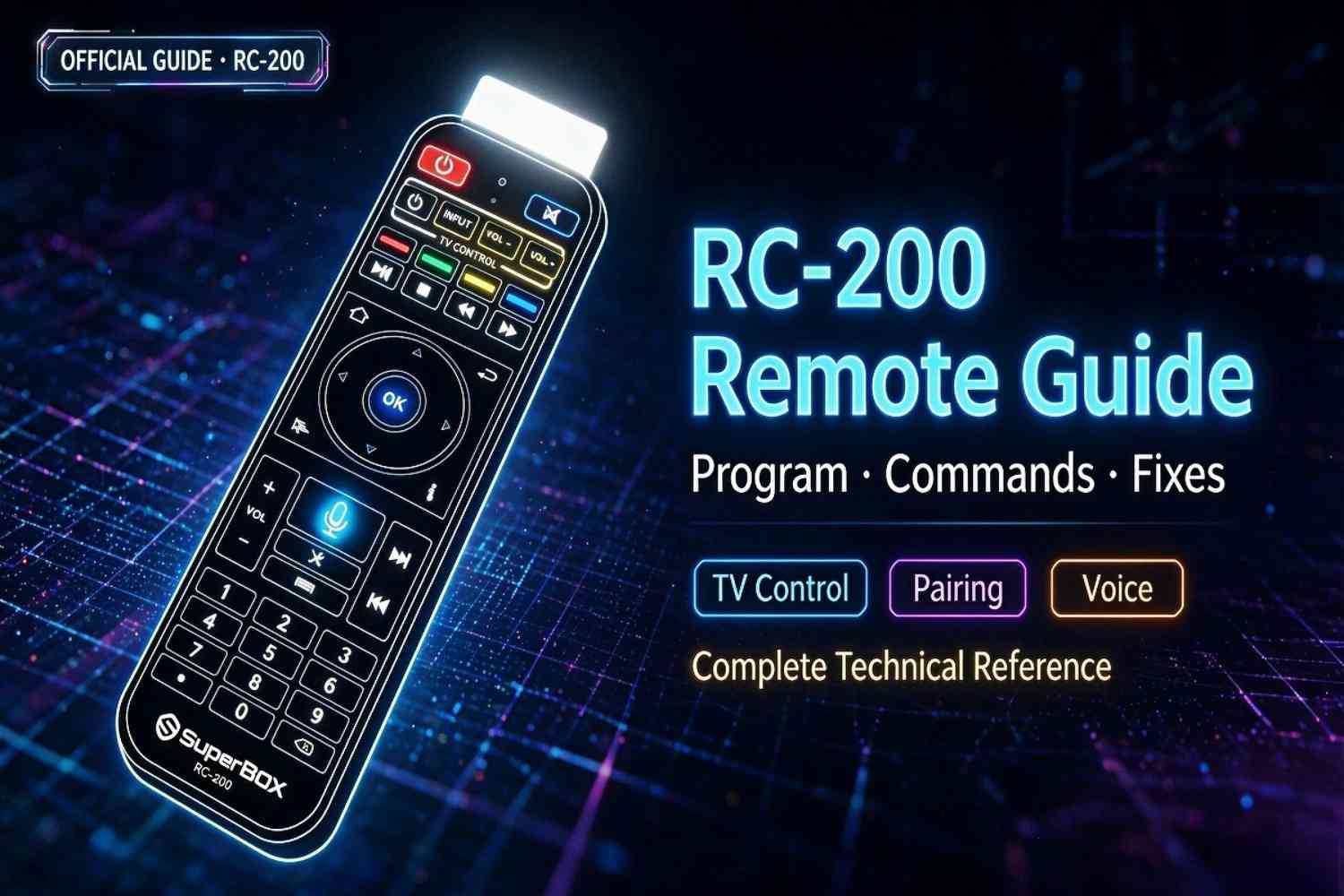
The RC-200 is the official voice remote included with all SuperBox S7 models. It includes Bluetooth voice control, dedicated media shortcuts, and IR learning so you can control your TV power and volume without a second remote.
This guide uses official button layouts and programming steps directly from SuperBox documentation. We cover every button, how to program TV control, working voice commands, pairing, battery life, and fixes for every common issue.
If you need a spare or replacement, we stock official RC-200 remotes here. For general device troubleshooting, see our complete SuperBox problem solving guide.
Complete Button Layout (Official RC-200)
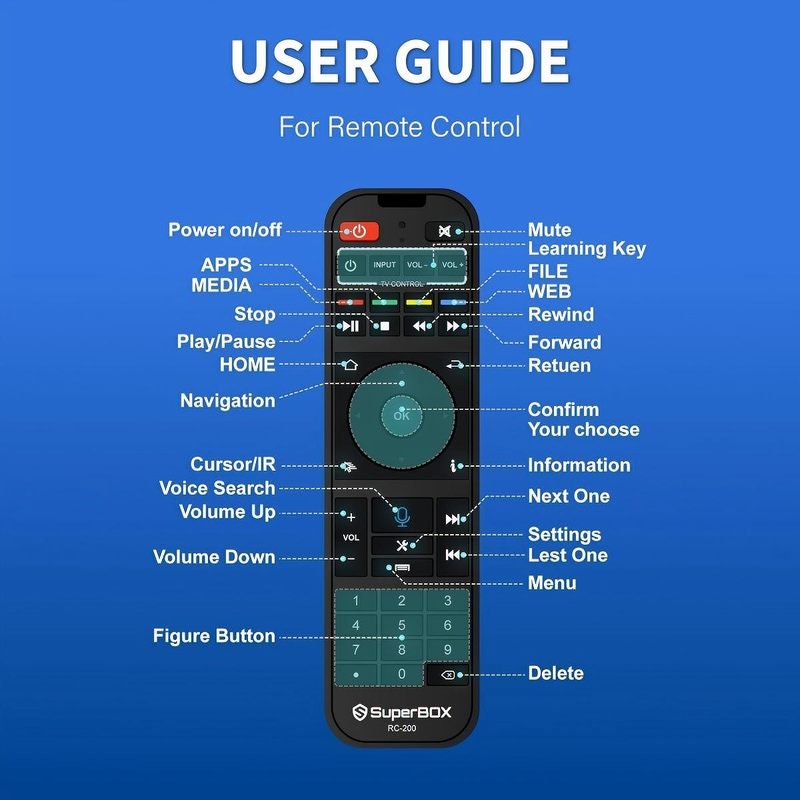
Official RC-200 remote button layout diagram
From top to bottom, every button on the remote:
| Button | Function |
|---|---|
| Power (red) | SuperBox power on/off (programmable for TV power) |
| Mute | Mute audio (programmable for TV mute) |
| APPS | Open all installed apps list |
| INPUT | Switch TV input (programmable) |
| VOL - / VOL + | Volume control (programmable for TV volume) |
| MEDIA | Open built-in media player |
| FILE | Open file manager |
| WEB | Open web browser |
| Red/Green/Yellow/Blue | Contextual function keys (app-specific) |
| Stop | Stop playback |
| Play/Pause | Play or pause media |
| Rewind | Skip back / rewind |
| Forward | Skip forward / fast forward |
| HOME | Return to home screen |
| Return | Go back to previous screen |
| Navigation D-pad | Up/down/left/right menu navigation |
| OK | Confirm / select |
| Cursor/IR | Toggle mouse cursor mode / switch IR/Bluetooth |
| Information (i) | Show playback info (resolution, bitrate, audio) |
| VOL + | Volume up |
| Voice (microphone) | Press and hold for voice search/commands |
| Next | Next track/channel |
| VOL - | Volume down |
| Settings (X) | Quick open system settings |
| Last | Return to previous channel/app |
| Menu | Open context menu |
| Number pad 0-9 | Direct number entry |
| Delete | Delete text input |
The four buttons in the white outlined section at the top (Power, VOL-, VOL+, INPUT) are the programmable IR learning buttons for TV control.
How to Program Your Remote to Control Your TV
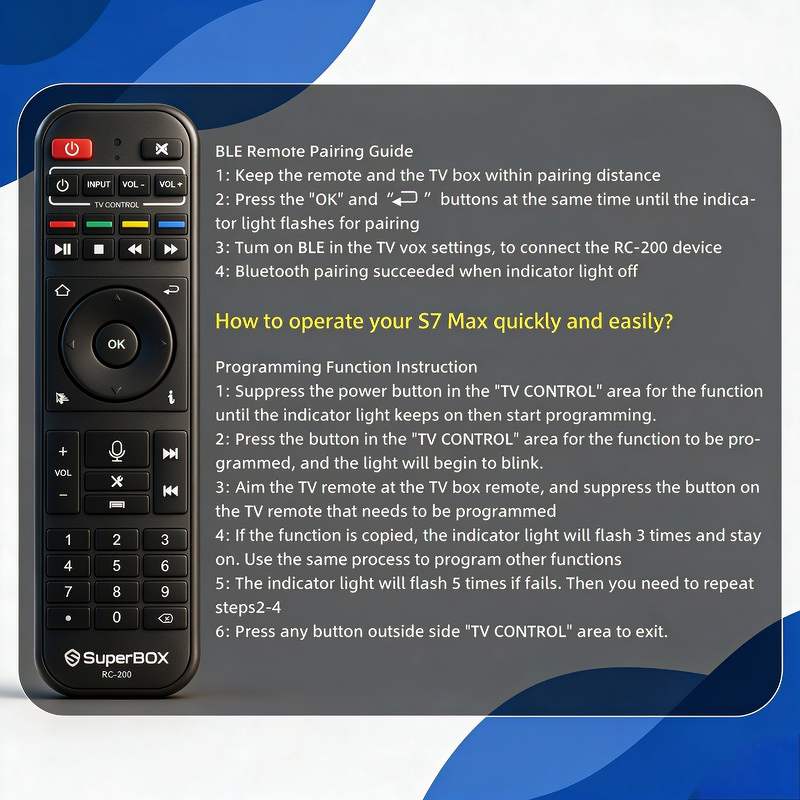
Official pairing and programming instructions
You can program the RC-200 to control your TV power, volume, mute, and input — no need for two remotes. Follow these official steps exactly:
-
Enter programming modeHold the white power button in the outlined top section until the red light starts blinking, then keep holding until the red light stays solid on.
-
Prepare both remotesPoint your TV remote directly at the SuperBox remote, about 1-2 inches apart.
-
Learn the functionPress and hold the button on your TV remote that you want to copy (for example, TV power). While holding that TV button, press the corresponding button on the SuperBox remote.
-
Confirm successIf programming works, the red light will flash three times and then stay solid, ready for the next button.
-
Repeat for other buttonsProgram volume up, volume down, mute, and input the same way.
-
If programming failsThe red light will flash five times quickly. Start over for that button.
-
Exit programming modeWhen finished, press any button outside the white outlined area. The indicator light will turn off.
Programming Tips
- Use fresh batteries in both remotes
- Keep remotes pointed directly at each other
- Do this in a dim room without bright sunlight or fluorescent light
- You can reprogram buttons at any time by repeating the process
- To reset all learned buttons, hold the power button for 10 seconds until the light flashes rapidly
How to Pair (or Re-Pair) the Remote
The remote comes pre-paired from the factory. If you get a new remote or it loses connection:
- Make sure the SuperBox is powered on at the home screen
- Insert 2 AAA batteries into the remote
- Hold the remote within 1 foot of the box
- Press and hold OK and Return at the same time for 5 seconds
- You will see a "Pairing..." notification on screen
- Wait 5-10 seconds until you see "Remote paired"
If Pairing Fails
- Remove batteries for 10 seconds, reinsert, and try again
- Restart the SuperBox (unplug power for 30 seconds)
- Move other Bluetooth devices away during pairing
- Make sure no other SuperBox remotes are active in the room
Working Voice Commands
Voice recognition works best with normal, conversational speech. You must hold the microphone button the entire time you speak. These commands are confirmed working on current S7 firmware:
Navigation
- "Go home"
- "Go back"
- "Open settings"
- "Open [app name]"
- "Show all apps"
- "Open file manager"
Playback
- "Play"
- "Pause"
- "Stop"
- "Rewind 10 seconds"
- "Fast forward 5 minutes"
- "Restart"
- "Next"
- "Previous"
- "Turn on subtitles"
- "Turn off subtitles"
Volume & Audio
- "Volume up"
- "Volume down"
- "Mute"
- "Unmute"
- "Set volume to 50%"
Search
- "Search for [title]"
- "Find movies with [actor]"
- "Show me [genre]"
- "What's new"
System
- "Turn off"
- "Restart"
- "Check storage"
- "Check network"
Time Shift
- "Rewind 1 hour"
- "Go to live TV"
- "Pause"
Advanced Tips & Hidden Features
Tip #1: Mouse Cursor Mode
Press the Cursor/IR button to activate an on-screen mouse cursor. This is extremely useful for sideloaded apps that aren't designed for remote navigation. Press Cursor/IR again to turn it off.
Tip #2: Quick Settings
Press the Settings (X) button to jump directly to system settings without navigating through menus.
Tip #3: Last Channel
Press the Last button to instantly jump back to the previous channel or app. This is one of the most useful buttons for flipping between content.
Tip #4: Playback Information
Press the (i) button during playback to see resolution, bitrate, audio format, and other technical information.
Tip #5: Bluetooth Range
You don't need to point the remote at the box. Bluetooth works up to 30 feet away, even through walls. IR only activates for the learned TV buttons.
Tip #6: Long Press Shortcuts
- Long press HOME: Open recent apps
- Long press Menu: Open accessibility settings
- Long press Cursor/IR: Toggle between IR and Bluetooth modes
Battery Information
The RC-200 uses 2 standard AAA batteries (not included).
Expected Battery Life
- Normal use (5-10 voice searches per day): 2-3 months
- Heavy voice use: 1-2 months
- Lithium AAA batteries: 3-6 months
Low Battery Indicator
You will see an on-screen notification when batteries drop below 20%. Replace them promptly — low batteries cause intermittent connection issues, unresponsive buttons, and poor voice recognition.
Common Problems & Fixes
Voice Search Not Working
- Check that batteries are not low
- Make sure you are holding the microphone button while speaking
- Check the microphone hole is not blocked by dust or a cover
- Restart the SuperBox
- Re-pair the remote
Remote Intermittently Disconnects
- Replace batteries (this fixes 90% of connection issues)
- Move the SuperBox away from metal enclosures or other electronics
- Keep WiFi routers and microwaves at least 3 feet from the box
- Re-pair the remote
TV Programming Not Working
- Use fresh batteries in both remotes
- Keep remotes 1-2 inches apart, pointed directly at each other
- Avoid bright sunlight or fluorescent light during programming
- Reset learned buttons and try again
Buttons Are Sticky
- Remove batteries
- Clean around buttons with 90%+ isopropyl alcohol and a cotton swab
- Do not spray liquid directly on the remote
- Let dry completely before reinserting batteries
Cursor Mode Stuck
Press the Cursor/IR button once. If still stuck, remove batteries for 10 seconds to reset the remote.
Remote Controls Wrong Box
If you have multiple SuperBoxes:
- Unplug all boxes except the one you want to pair
- Re-pair the remote
- Plug other boxes back in
Compatibility
The RC-200 remote is fully compatible with:
- All SuperBox S7 models (Pro, Max, Ultra)
- All SuperBox S6 models
- All previous SuperBox generations with Bluetooth support
Older SuperBox IR-only remotes will work with S7 boxes for basic navigation, but voice search and special buttons will not function. For full functionality, use the official RC-200.
Frequently Asked Questions
Can I pair two remotes to one box?
Yes. You can pair multiple RC-200 remotes to the same SuperBox.
Does the remote have a backlight?
The standard RC-200 does not have a backlight. Only the remote included with the S7 Ultra has backlit keys.
How do I know if the remote is in Bluetooth or IR mode?
Press the Cursor/IR button. The red light will blink once for Bluetooth, twice for IR mode.
Can I reset all programmed TV buttons?
Yes. Hold the power button in the white section for 10 seconds until the light flashes rapidly. All learned codes will be erased.
Do I need to reprogram TV buttons after changing batteries?
No. Learned codes are saved permanently and will not be lost when you change batteries.
Final Notes
The RC-200 is significantly more capable than most streaming remotes. The IR learning function eliminates the need for a separate TV remote, mouse cursor mode makes sideloaded apps usable, and the dedicated shortcuts save dozens of clicks per day.
If you need a spare or replacement, official RC-200 remotes are in stock here. For more technical guides, see our Gigabit Ethernet speed test results or our complete SuperBox model comparison.